Public beta · iPad and iPhone · Grades 1–4
Homework time, a little calmer.
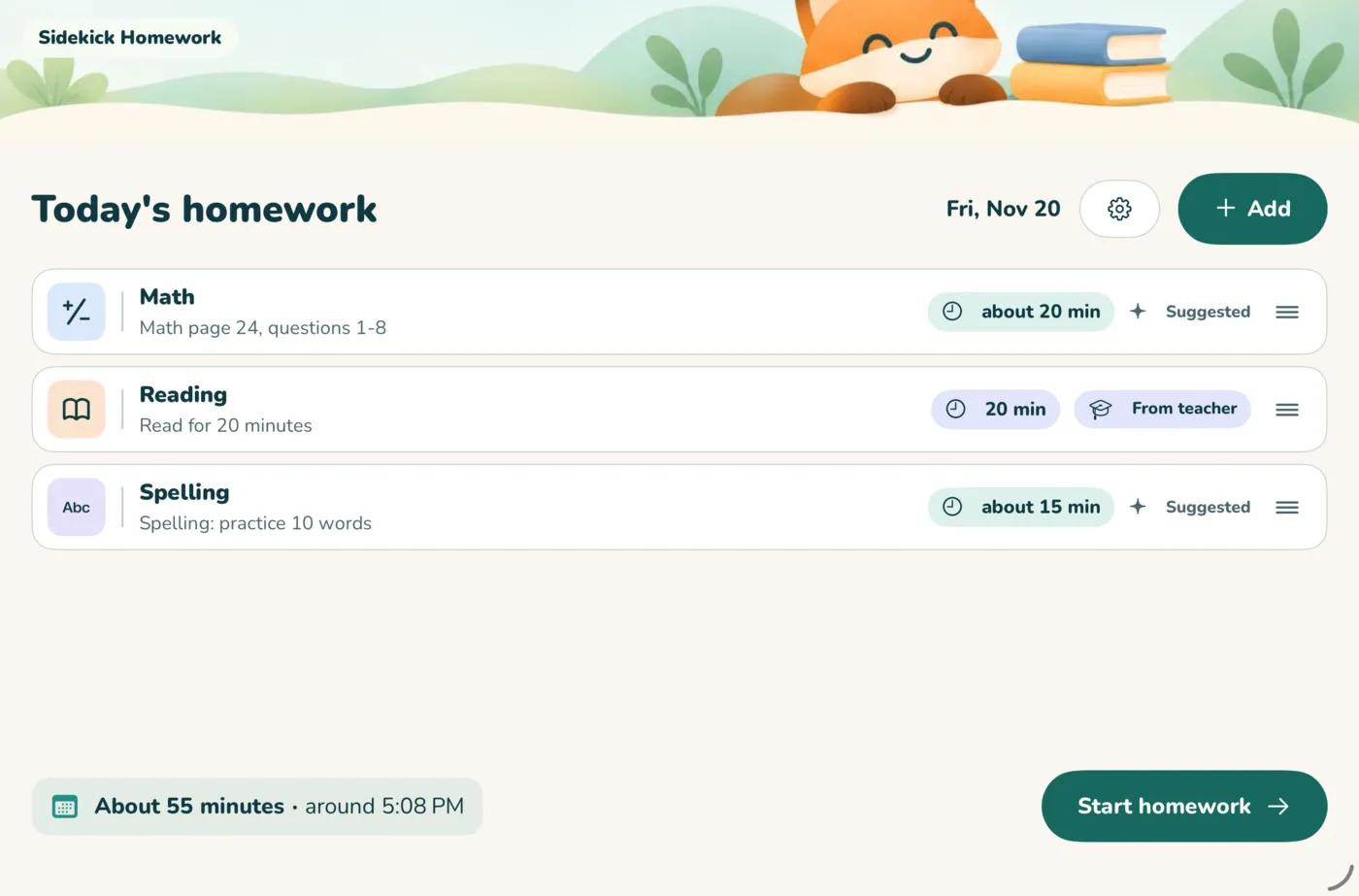
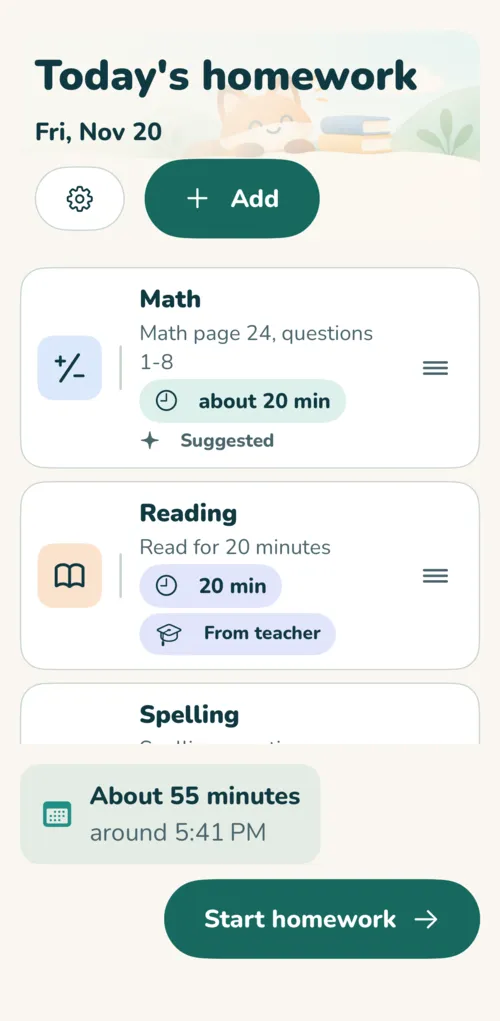
Photograph the homework notebook. Get a gentle plan that adapts to how your child works—one assignment at a time.
- Notebook photos
- Flexible timing
- No scores
How it works
From notebook page to a plan, in three steps
Homework stays on paper. The iPad or iPhone sits nearby and keeps track of what comes next.
Snap or type it
Photograph the handwritten notebook entry, or type the homework in yourself.
Make a gentle plan
Check the recognized tasks, fix anything that was misread, and see suggested times.
Focus, then adjust
One task on screen at a time. When something takes longer, the rest of the plan moves with it.
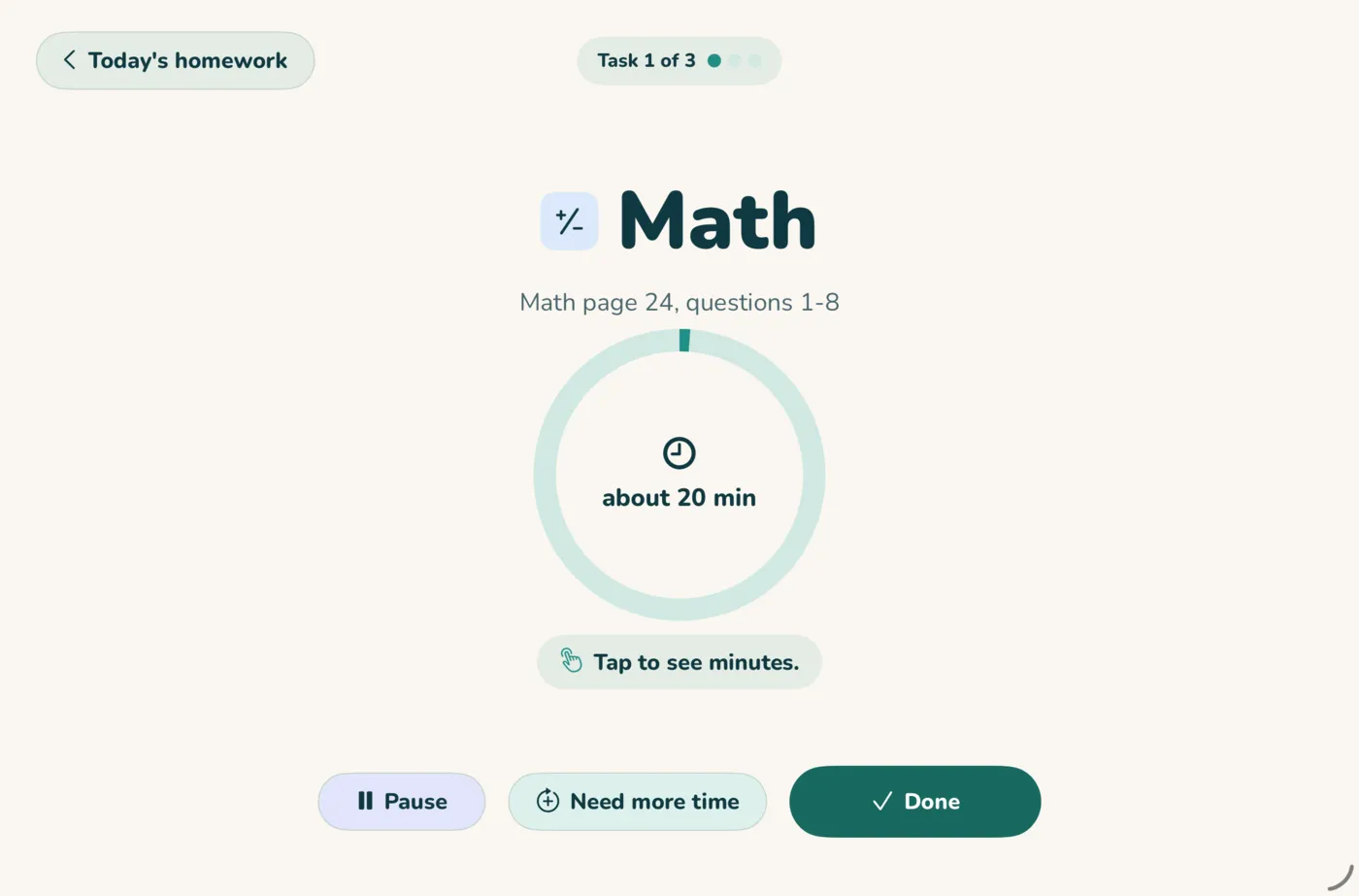
Steps 1 and 2 are illustrations. Step 3 is a screen from the public beta.
Smart planning
The plan adapts to your child, not the other way around
A checklist doesn't know how long things take. A countdown doesn't care when they take longer. Sidekick Homework is designed to re-plan the evening as it actually unfolds.
Interactive concept
- MathPage 24, questions 1–820 min
- ReadingTeacher-required · always the full time20 min
- BreakOptional5 min
- SpellingSuggested estimate15 min
- Whole planAbout 60 min
Math took about as long as planned. The plan stays as it was.
This is a simulation with fixed example numbers. In the app, estimates for similar tasks gradually adjust after several comparable sessions. Nothing here is learned from you or your child.
In the beta today
Made for paper homework and real evenings
Photo of the notebook
Take a picture of what was written down at school. You review the recognized tasks before any plan is made, and typing is always an option.
Estimates that settle in
Starts with cautious, editable time suggestions. Over repeated similar tasks, they move toward your child's usual pace.
Breaks, pauses, more time
Breaks are offered, never forced. Pausing or asking for more time just moves the finish estimate. Teacher-set times are never shortened.
No scores, no races
No scores, grades, or leaderboards. Time taken is used for planning tomorrow, not for judging today.
FAQ
Questions parents ask
Does it solve or check the homework?
No. Sidekick Homework is a planner and timer. It does not answer questions, tutor, or grade work.
Does my child write on the iPad or iPhone?
No. Homework is done on paper with books, worksheets, and pencils. The device sits nearby and shows the current task and the plan.
How well will it read handwriting?
Handwriting recognition is never perfect, and children's notebooks are a hard case. That is why every photo goes through a review step where you can correct, split, or remove tasks before a plan is made. You can also skip the photo and type.
What happens when a task takes longer than planned?
The plan flexes. The estimated finish moves later, the other tasks keep their time, and anything the teacher set, such as “read 20 minutes”, stays the full length. No red warnings.
Can I download it now?
Not from the App Store yet. A public beta is running on TestFlight, Apple's app for testing. Email us to join it. There is no release date or price to share yet.
What about privacy?
Tasks, timings, and history are stored on the device, with no account and no ads. Photos are read on the device and are not saved. A parent can turn on cloud advice, which is off by default. It sends the text read from a note, never the photo, to tell tasks apart and suggest a subject for each. A parent can delete history at any time. Details are in our privacy policy.
Interested in calmer homework evenings?
There is no sign-up form. Email us to join the public beta, or to hear when the app launches. Parents only, please, and no details about your child are needed.
Email us to join the betaOpens your email app. No email app? Write to hello@sidekickfamily.app. Nothing is stored by this website.