A calmer screen-time reward system for kids
A screen-time reward system lets a child earn a specific privilege—such as 20 extra minutes or one family movie—save it, and use it within limits set by a parent. Sidekick's Reward Cards are non-cash privileges: they are not banking, a debit card, cash, an allowance, or points that must be exchanged later.
Reviewed by Sidekick editorial team · Last reviewed 11 July 2026
The Name–Earn–Save–Use framework
Use this four-part check before introducing earned screen time. If any part is vague, settle it before a card is earned.
1. Name it
Write the exact privilege: “20 minutes of game time,” not “screen-time reward.”
2. Earn it
Tie the card to one clearly defined routine or optional extra task. Keep ordinary family responsibilities separate when that fits your values.
3. Save it
Let the child keep the reward for later instead of forcing immediate use. The card represents the privilege itself, not a currency balance.
4. Use it
Agree beforehand when the card can be used, what devices or content are allowed, and when a parent may say “not now.”
Why informal promises turn into arguments
“You can have extra screen time later” leaves the amount, timing, device, and expiry open to interpretation. Define those boundaries before the work begins. The goal is a predictable agreement, not a promise that disagreement will disappear.
Minutes versus uses
Choose minutes when
the activity has a clear timer, such as 20 minutes of a game or video.
Choose uses when
the natural unit is one episode, one movie, or one turn choosing the activity.
Three realistic family setups
After-school routine
Maya, 9, completes snack cleanup, backpack unpacking, and 15 minutes of reading. She earns one card for 20 minutes of a parent-approved game and saves it for Saturday.
One-use privilege
Leo, 7, finishes an optional garden job and earns one family-movie choice. It is a use-based card, so there is no clock to debate.
Older child with a boundary
Sam, 12, completes a weekday routine and earns 30 extra minutes. The card can be used after homework but not after 8:30 p.m.; unused cards expire at the end of the week.
How Sidekick handles the workflow
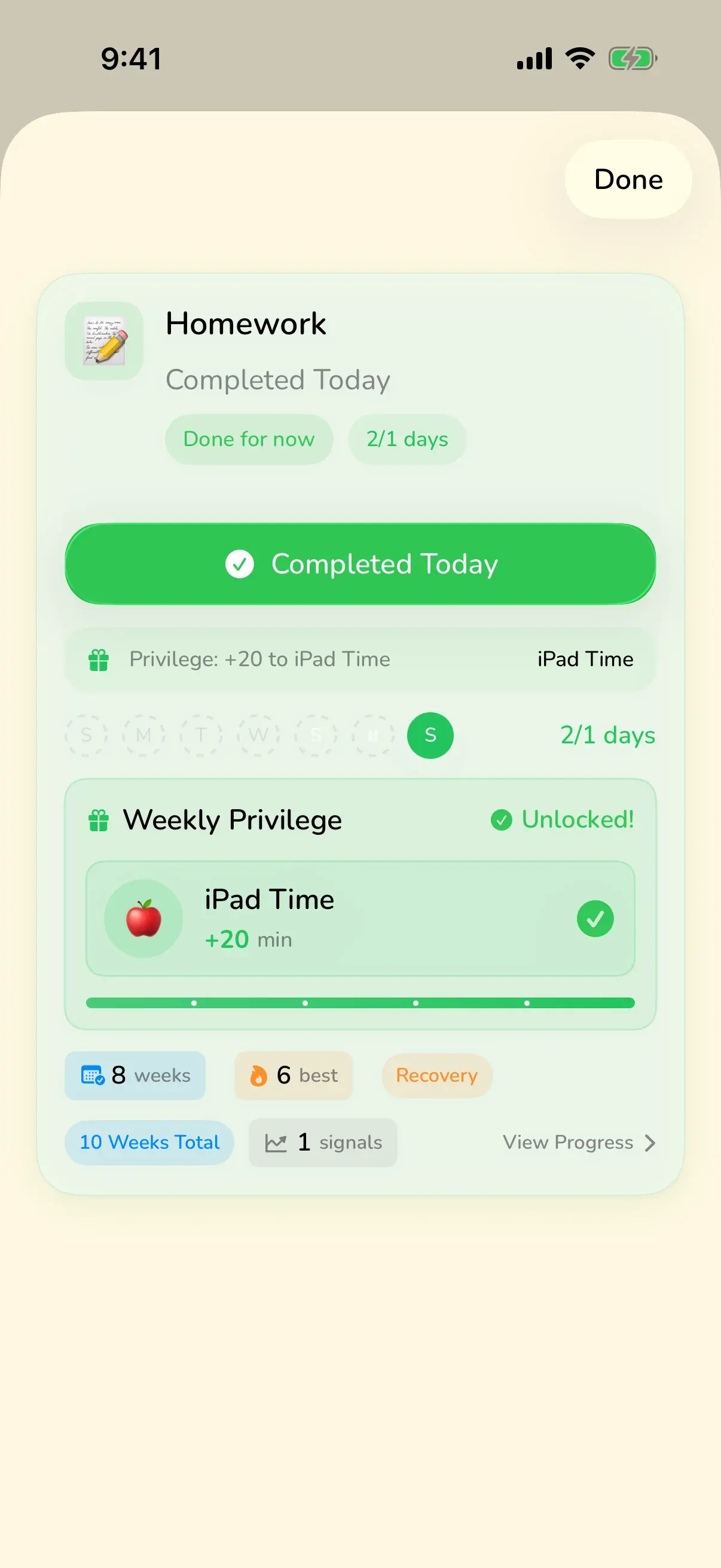
- A parent creates a concrete, non-cash Reward Card.
- The child completes the agreed routine or optional task.
- The earned card stays visible and can be saved for later.
- The child asks to use it within the parent-set time, device, content, and expiry boundaries.
When not to use screen time as a reward
- Do not use extra screen time when it conflicts with sleep, school, health, safety, or an existing family media plan.
- A reward system cannot resolve every argument. Pause the system if earning or redemption creates more conflict than clarity.
- Avoid making affection, meals, rest, movement, or access needed for school conditional rewards.
- Some children find delayed rewards frustrating. Try a shorter save window or a one-use privilege instead of adding more points or rules.
For broader family media planning, see the American Academy of Pediatrics’ Family Media Plan.
Related practical guides
- Plan screen time limits before play starts
- Use the prevention and recovery guide to reduce recurring screen-time arguments
- Compare direct rewards with points, stars, and fake-money systems
- See how a kids routine app makes the earning step visible
- Build an after-school routine before adding an optional reward
- Learn how Pause, Shrink, and Defer protect routines on hard days
FAQ
Are screen-time cards the same as tokens or points?
No. A Sidekick card names the reward itself. “20 minutes” can be saved and used directly; a child does not collect an abstract currency and calculate an exchange rate.
Should chores always earn screen time?
No. Families can keep baseline responsibilities separate and reserve cards for optional jobs, a specific routine, or occasional extra effort.
What if a child asks to use a card at the wrong time?
Keep the card saved and use the boundary agreed in advance: for example, after homework, before 8 p.m., or only on weekends.
Should rewards use minutes or uses?
Minutes suit activities with a clear timer. Uses work better for one episode, one movie choice, or one turn choosing a family activity.
Make the agreement visible
Create direct Reward Cards kids can earn, save, and use within your family’s boundaries.
Download on App Store